Published OnSeptember 28, 2026September 29, 2026
Python SDK Preview: Sync for Robots and AI at the Edge
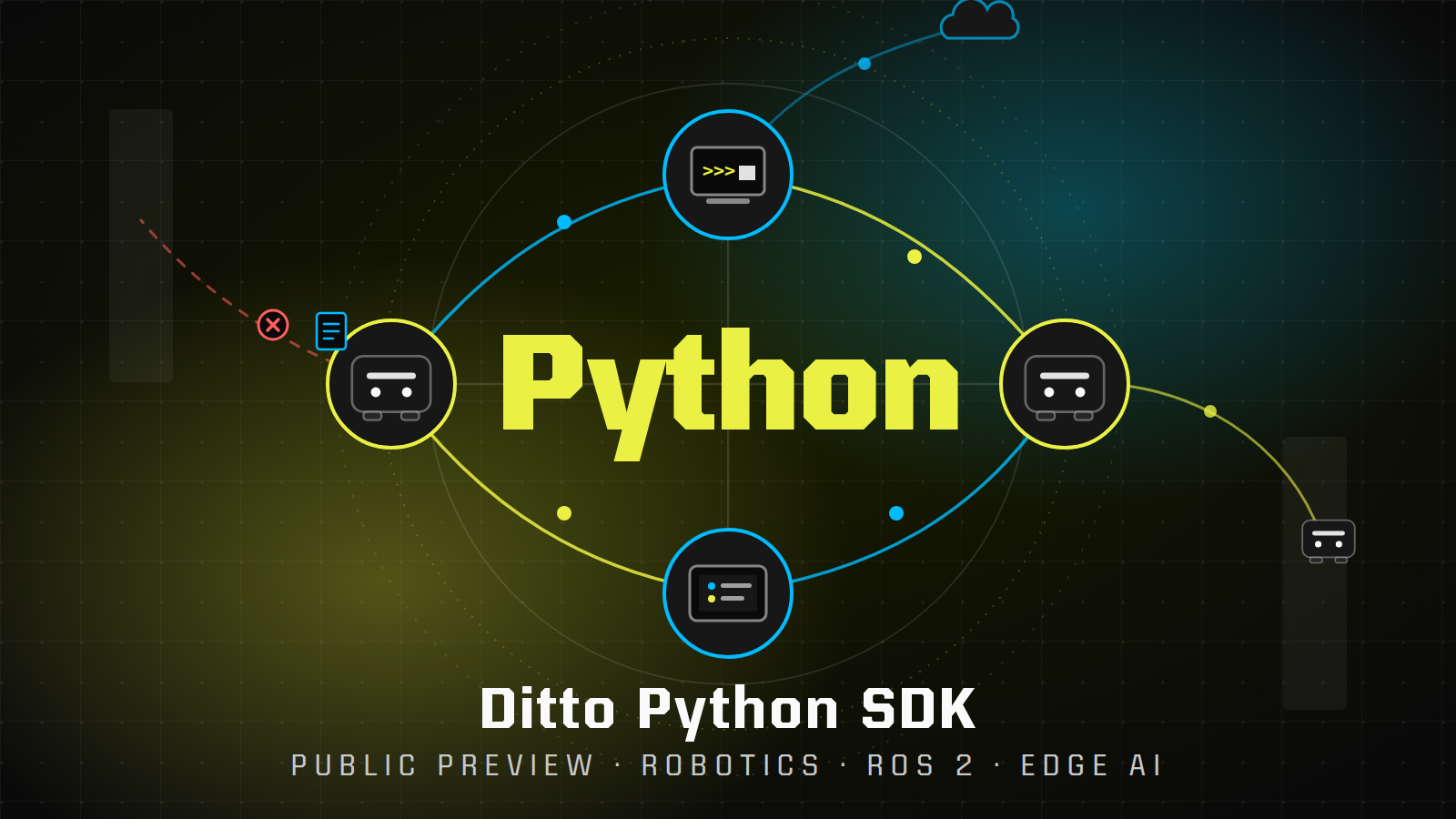
Today, Ditto's Edge SDK for Python is now available in preview. You can get started in minutes by building with the Python quick start app. We'll also dive into a code example that shows how Ditto can help robot fleets continue working through poor network conditions and we'll outline Ditto's path to AI at the edge.


Picture a robot in a warehouse. It received a task, and now it's halfway down an aisle of steel shelving where the Wi-Fi is spotty at best. Locally, the robot knows its task, where it is, and what it's carrying. Unfortunately, the operator's tablet on the other side of the building stopped getting updates, and the fleet manager in the cloud is about to mark it as lost.
Nothing is broken. The robot is working well. Imperfect network conditions in the real world have disrupted the system, wasted time, and can cut into revenue. The same thing happens to any software that runs out in the real world whether its an app on a factory floor, a server in a store, or a sensor on a farm.
Today we're announcing that the Ditto Python SDK is in public preview. You can test out the new SDK in minutes by building with the Python quick start app.
The Python SDK brings Ditto's offline-first database and peer-to-peer sync to a wider audience. Now, any Python app can keep working and stay in sync when the network can't be trusted. This provides a foundation that allows Ditto to keep robots in sync in the field and plan for the future of AI at the edge.
- Robot 2 picks up a task. The operator's tablet can see the whole fleet.
- Without Ditto: Robot 2 drives behind the shelves and loses Wi-Fi. The tablet stops getting updates.
- With Ditto: Robot 2 keeps its data and syncs through robot 3 over Bluetooth. The tablet sees it again.
- With Ditto: Wi-Fi comes back, everything catches up, and there's nothing to fix.
Key takeaway: Python apps can put information in a local Ditto database and sync it directly with nearby devices over Wi-Fi, LAN, and Bluetooth. When network connections drop and come back, independent offline changes will merge together automatically.
Here is what's in this blog post:
1. The Python SDK
Python is one of the most popular programming languages in the world. Developers use it for backend services, data pipelines, automation scripts, internal tools, robotics, and machine learning. More and more of that code runs outside the data center: on factory floors, in retail stores, on lab equipment, in vehicles, and on Linux devices in the field. Those places don't always have a reliable network.
Previously, Python developers couldn't use Ditto. Now, with the Python SDK, a Python application can build on Ditto's peer-to-peer mesh and data sync capabilities. The SDK runs inside your application and has two halves.
The first half is a local database. Data is stored as documents, which are JSON-like records that are similar to data rows. Documents are grouped into collections, which are like data tables. You read and write with DQL, Ditto Query Language, which will look familiar if you know SQL. Reads and writes happen locally, so they work with no network at all.
The second half is data sync. You tell Ditto what data a device wants to pull from other devices. Then Ditto finds nearby devices over Bluetooth, Wi-Fi, LAN, or the Internet and keeps that data up to date between them. Only the changes move. When two devices edit the same data while apart, Ditto uses CRDTs (conflict-free replicated data types) to merge the changes automatically, so every device ends up with the same data without someone handling complicated conflict-handling code.
2. Using Ditto to power robot fleets
Robots move, so their connection can change every few seconds. Many people and systems need to read and write a robot's state at once: the robot itself, the fleet manager, a human operator, and other robots in the fleet. In a facility with fifty robots, there is rarely a moment when every one of them can see the cloud.
Many robotics teams build on ROS 2 (Robot Operating System 2). In ROS 2, a robot's software is a set of small programs called nodes. Nodes talk to each other by publishing messages on named channels called topics. A camera node publishes images on one topic, and a motor controller listens for commands on another. Underneath, a protocol called Data Distribution Service (DDS) delivers those messages quickly between nodes on the same network.
A topic is a live stream of data. A ROS 2 message is gone once it's sent, and a ROS 2 graph normally stays on one local network. A robot fleet operator has questions beyond what a data stream can provide. They want to know:
- What is the current state of every robot?
- What happened while this robot was out of range?
- How does a robot on one network share data with a tablet on another?
Ditto answers all three. It gives the fleet shared state that lasts: every robot keeps its own copy, syncs with whoever it can reach, and catches up when it can't. We built a small ROS 2 example in Python to show it.
Instead of streaming its position, each robot writes its current position into a shared fleet collection. Then it watches the whole collection. Every robot ends up with one live row per robot, with no central coordinator.
Now watch what happens when one robot drops off the network and comes back.
- Each robot upserts one row for itself, keyed by its robot ID.
- Ditto syncs the rows. Every robot now sees the whole fleet.
- Robot 2 drops off the mesh, keeps driving, and keeps updating its own row.
- It reconnects. Only the changed fields move. Every copy converges.
While robot 2 is out of range, the rest of the fleet keeps working from its last known position. When it reconnects, every robot is back to one shared picture.
Fast sensor and control topics stay in ROS 2, inside the robot. Ditto only carries the state that has to be shared. Here is what each robot runs to do that:
# Each robot: keep exactly one live row for itself...
await ditto.store.execute(
    "INSERT INTO fleet DOCUMENTS (:doc) ON ID CONFLICT DO UPDATE",
    {"doc": {"_id": robot_id, "robot": robot_id, "x": x, "y": y, "theta": theta}},
)

# ...and watch every other robot's row arrive.
def on_fleet(result):
    world = {row.value["robot"]: (row.value["x"], row.value["y"], row.value["theta"])
             for row in result}

ditto.sync.register_subscription("SELECT * FROM fleet")
ditto.store.register_observer("SELECT * FROM fleet", on_fleet)
Robot 2 lost its connection, kept working, and rejoined the fleet without any reconnection code. That is the power of combining Ditto and ROS 2. A robot's state can outlive a dropped link, cross a network boundary, or reach an operator's tablet or a fleet manager in the cloud.
3. The path to AI at the edge
The robot fleet data sharing in the demo above is a small version of something bigger. Ditto is also thinking about sharing data that a fleet of AI agents can read from and write to.
Today, robots are being asked to do harder jobs. A robot that follows a fixed route is easy to program. It's hard to build a robot that looks at a shelf, notices something is wrong, and dynamically decides what to do next. That second kind of job needs an AI agent that takes in what the robot sees, understands the situation, and then picks the next action.
Today, most AI workloads run in the cloud. This doesn't work well for robots or other devices that are deployed in the real world. Every decision requires a round trip from the device to the cloud. It has to send a camera frame up to an AI agent, wait to get the answer back, then act on it. That round trip can take 1-2 seconds, and a robot moving down an aisle can't wait that long. It's expensive to send every camera frame to a data center, and the entire fleet will be disrupted if Internet connectivity goes down.
To solve this problem, teams are moving AI closer to the robot and running multiple tiers of AI agents and decision making. Fast, safety-critical decisions happen on the robot. Fleet-wide decisions happen on a server at the site. The slow work of learning from weeks of data and building analytics or reports happens in the cloud.
On the robot
- A safety controller that is tested by humans and certified to make the right call.
- An image recognition model that identifies objects in the camera feed.
- These handle the fast, safety-critical decisions like "stop, there's a person."
On site
- A stronger AI agent that runs in an IT closet at the warehouse, factory, or farm.
- It serves the whole fleet over the local network.
- It builds one picture across the entire site fleet.
- It can re-route a robot around a blocked aisle, hand off a task when a robot goes to charge, or tell every robot in the building to skip a bad pallet.
In the cloud
- AI agents that do the slower work.
- They look across weeks of data to gather analytics and insights.
- They improve the on-site models over time.
This AI-powered deployment only works if the robots, the site agent, and the cloud all stay connected. In the real world, they don't. Metal shelving blocks Wi-Fi. A farm has no signal at all. A drone flies out of range. When that happens, the robot can't reach the agent, and the agent's decisions can't reach the robot.
Ditto already provides the network and the data layer that make this deployment realistic. Instead of each robot opening a connection to the site agent, every robot writes what it sees into its local Ditto database. Ditto syncs that data to the site server and to the other robots nearby. If a robot is out of Wi-Fi range, data can still reach it through a neighbor over Bluetooth. When the connection comes back, everything catches up on its own.
In the future, AI agents plug into that same shared data. The site agent reads the fleet's current state, makes a decision, and writes the decision back. Ditto carries that decision to every robot that needs it, so the robot, the site agent, and the cloud all see the same decisions and can react to them.
- Robots send what they see to the site agent, and it sends decisions back to every robot.
- Without Ditto: Robot 2 loses Wi-Fi and the Internet drops, so decisions stop reaching Robot 2 and the cloud.
- With Ditto: Robot 2 syncs through Robot 3 over Bluetooth, and the site keeps working without Internet.
- With Ditto: The Internet comes back and the cloud catches up on its own.
The result is that every AI agent in the system, on the robot, at the site, and in the cloud, works from the same information. That makes each agent's decisions better, and it makes the whole fleet easier to trust.
This isn't only a warehouse story. Teams are building this same shape in other places:
- Military and public sector. Drones, vehicles, and soldiers on a mission share what they see over their radios. Then, an AI agent at the team's local base can flag threats or identify blocked routes even when there's no Internet connection back to headquarters.
- Farming. Field robots with no cell signal can sync data with each other and then send their data to a vision and planning model that runs in the barn.
- Firefighting drones. A swarm maps a wildfire while a ground station near the fire line assigns each drone a search area.
- Remote industrial sites. Mines, ports, and offshore platforms keep their vehicles and sensors working when the link to headquarters is down.
The Python SDK is a first step. This isn't an Edge AI product announcement (yet). The Python SDK lays the foundation so Ditto can help customers deploy AI agents at the edge, in the language those workloads are written in.
4. What you can do next